5 Secrets to Super-Fast Phone Charging: Keep Your Battery Healthy
Introducing a game-changing guide to supercharging your iPhone's battery life. Uncover the secrets to shaving down your charging time by half, and enjoy a faster, more efficient iPhone experience. This article is a must-read for all iPhone users seeking to optimize their device's performance and spend less time plugged into the wall. Get ready to revolutionize the way you charge!
One of the important things to remember when charging your phone is to avoid letting it get too hot. For instance, your phone will quickly overheat if left on a windowsill in direct sunlight. This can be damaging to the battery. Similarly, extremely low temperatures are not ideal for your device. Therefore, find a place with a stable temperature to charge your phone.
It is recommended to remove the phone case/cover while charging to prevent overheating.
During charging, heat builds up. If there’s a case on the phone, the heat won’t dissipate as effectively, which can be detrimental to the battery.
Avoid Using Your Phone While Charging
It’s best to refrain from using your phone while it’s charging. Ideally, turn it off. This way, the device won’t consume any power, and the charging process will be faster.
If turning it off is not an option, you can enable airplane mode. This will disconnect all communication channels, conserving energy.
If you can’t turn off your phone or put it on airplane mode and still need internet access, opt for connecting to Wi-Fi instead of using your mobile data connection (3G/4G/5G) as it’s more energy-efficient.
Additionally, you can turn off unnecessary features like location services and apps that you don’t need during charging. You may also lower the screen brightness, which will save a significant amount of power and improve your phone’s performance.
Use a Standard Wall Outlet
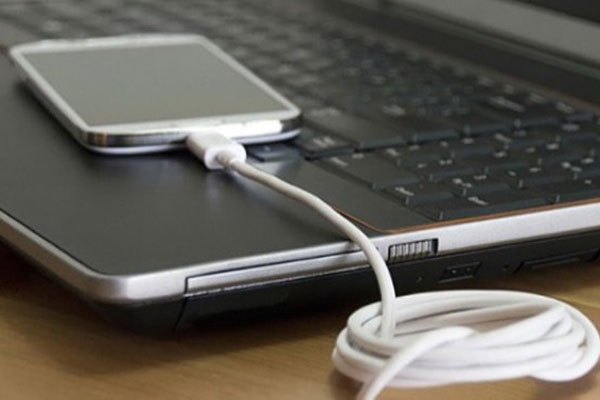
Using a standard wall outlet to charge your phone is the best option. While you can charge your phone via a USB cable connected to a laptop or a car charger, these methods will result in slower charging speeds.
For optimal charging results and to avoid damaging the battery, use the official charger and cable approved by the phone manufacturer.
If your device supports fast charging, take advantage of it. Fast charging technologies can significantly speed up the charging process. However, make sure to use a fast charger approved by the manufacturer, and ensure that your phone also supports fast charging for it to be effective.
Avoid Constant Charging
There’s no need to constantly charge your phone. You can use it until the battery reaches around 20% and then plug it in. Of course, try not to let it drain completely, and aim to charge it before it drops below 5%.
Source: Family & Society
Frequently asked questions
There are several ways to increase charging speed: use a wall charger instead of a USB port, enable airplane mode while charging, and ensure your charging cable is in good condition and compatible with your device.
Yes, it is advisable to avoid overcharging your phone. Lithium-ion batteries, commonly used in smartphones, perform best with partial charges between 20% and 80%. Charging overnight or letting your phone reach 100% regularly can reduce the battery’s capacity and shorten its lifespan.
Maintain a healthy charge cycle by avoiding extreme battery levels. Avoid letting your phone drop below 20% or reaching 100% too often. Also, avoid using cheap or damaged charging cables as they can impact charging efficiency and potentially damage your battery.
Yes, using a phone case can slightly increase charging times as it adds a layer of insulation. However, the difference is usually negligible, and the benefits of a case in protecting your phone generally outweigh this minor drawback.
Wireless charging is typically slower than wired charging, especially if you’re using a fast charger. However, wireless charging pads are designed for convenience and can be useful when you need to charge your phone quickly without the hassle of cables.
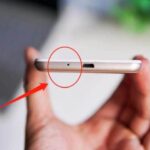
We all have mobile phones that we use every day, but do you truly understand your device? Have you ever noticed that tiny hole next to the charging port at the bottom of your phone? It’s not just a random design feature – it actually serves a very important purpose.
“Smartphones have become an integral part of our daily lives, with most of us keeping them within arm’s reach at all times. However, it’s important to be mindful that certain items should not be placed together with your phone. Keep your phone away from these three items to avoid potential issues.”
Microsoft has just unveiled Windows 11, focusing on streamlining the user interface for a seamless experience. With a refreshed design, enhanced productivity tools, and improved performance, Windows 11 promises to redefine how users interact with their devices. Whether you're a creative professional or a casual user, this latest update aims to simplify your digital life while delivering cutting-edge innovation.
Fingerprint door locks are the most preferred electronic door locks among consumers today. Combining cutting-edge biometric technology with unparalleled convenience, these locks offer a seamless and secure access solution for modern homes and businesses. With their advanced fingerprint recognition systems, they ensure that only authorized individuals can enter, eliminating the need for keys or memorized codes. This innovative approach not only enhances security but also simplifies daily routines, making fingerprint door locks the ultimate choice for those seeking both safety and efficiency.
Facebook stands as Vietnam's quintessential social network, with nearly every individual holding an account. Its unparalleled reach and engagement make it an indispensable platform for connecting, sharing, and thriving in the digital age.
Extend your iPhone's battery life? Absolutely. Owning an iPhone with a longer-lasting battery is not just a dream—it's achievable. Discover the secrets to maximizing your device's power efficiency and enjoy uninterrupted usage throughout your day.
Saving Outlook emails to an external hard drive is incredibly useful for backups and data preservation. This ensures your important communications remain secure and accessible, even if your primary device fails or is compromised. By transferring emails to an external drive, you gain peace of mind knowing your data is safely stored and easily retrievable whenever needed.
Microsoft has just unveiled Windows 11, focusing on streamlining the user interface for a seamless experience. With a refreshed design, enhanced productivity tools, and improved performance, Windows 11 promises to redefine how users interact with their devices. Whether you're a creative professional or a casual user, this latest update aims to simplify your digital life while delivering cutting-edge innovation.
Fingerprint door locks are the most preferred electronic door locks among consumers today. Combining cutting-edge biometric technology with unparalleled convenience, these locks offer a seamless and secure access solution for modern homes and businesses. With their advanced fingerprint recognition systems, they ensure that only authorized individuals can enter, eliminating the need for keys or memorized codes. This innovative approach not only enhances security but also simplifies daily routines, making fingerprint door locks the ultimate choice for those seeking both safety and efficiency.
Facebook stands as Vietnam's quintessential social network, with nearly every individual holding an account. Its unparalleled reach and engagement make it an indispensable platform for connecting, sharing, and thriving in the digital age.
Extend your iPhone's battery life? Absolutely. Owning an iPhone with a longer-lasting battery is not just a dream—it's achievable. Discover the secrets to maximizing your device's power efficiency and enjoy uninterrupted usage throughout your day.
Saving Outlook emails to an external hard drive is incredibly useful for backups and data preservation. This ensures your important communications remain secure and accessible, even if your primary device fails or is compromised. By transferring emails to an external drive, you gain peace of mind knowing your data is safely stored and easily retrievable whenever needed.