IPHONE SPECIAL OFFER | GRAB IT NOW
1 Why Check if iPhone Battery Has Been Replaced?
Checking if an iPhone’s battery has been replaced is crucial, especially when buying a used device, to accurately assess its quality for the following reasons:
- Maintain Water Resistance: Opening the device to replace the battery often removes the original waterproof seal.
- Avoid Malfunctions and Lag: Non-genuine batteries often don’t work well with iOS, leading to inaccurate battery percentage readings or sudden performance throttling.
- Higher Resale Value: An iPhone with an original battery can sell for 15-20% more than one with a replaced battery.
- Safety and Durability: A genuine battery ensures stable power, reducing the risk of explosion and extending the life of internal components.
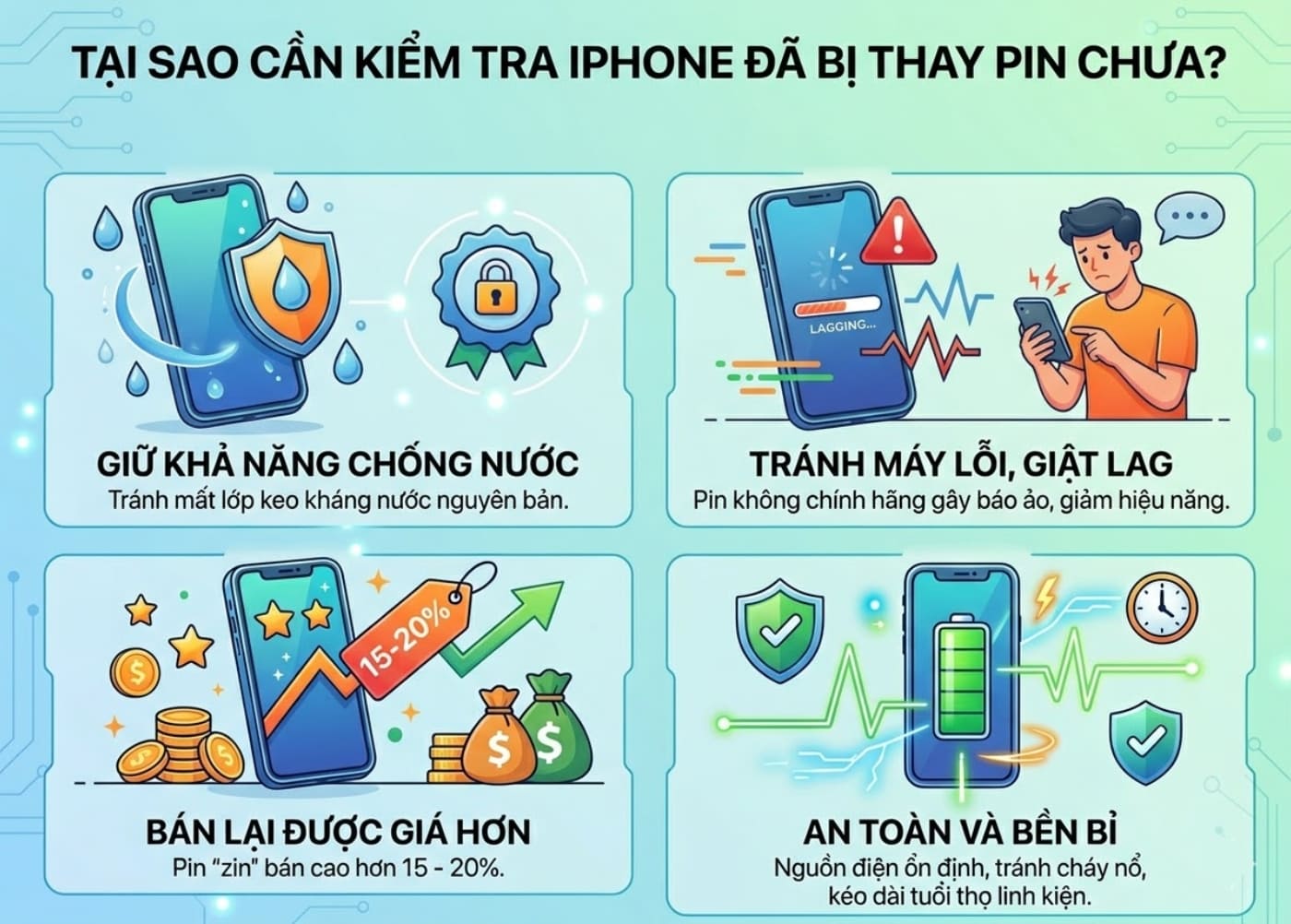
Checking if an iPhone’s battery has been replaced is essential, especially for used iPhones.
2 Checking iPhone Battery Health
- If the maximum battery capacity is below 80%, consider replacing the battery.
- If the battery status shows Service, iOS is warning that the battery is degraded and needs immediate replacement.
Note: If you see “Unable to Verify This iPhone” or the maximum capacity percentage is missing, the battery may have been replaced with a non-genuine part.
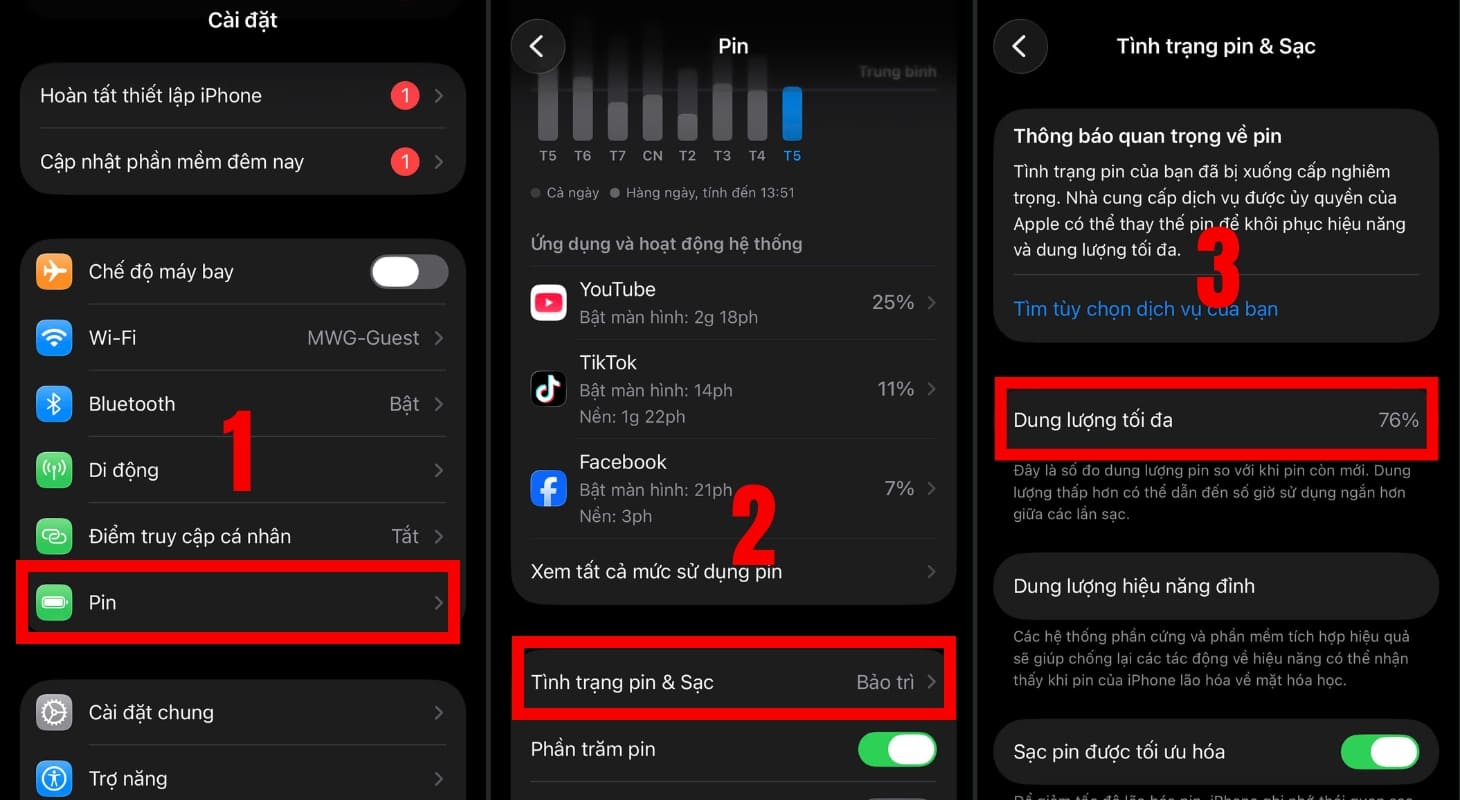
Checking the battery health of an iPhone.
3 Checking Battery Replacement Status on iPhone
Viewing Component and Service History
Starting with iOS 15.2, Apple introduced a built-in diagnostic feature in the system settings.
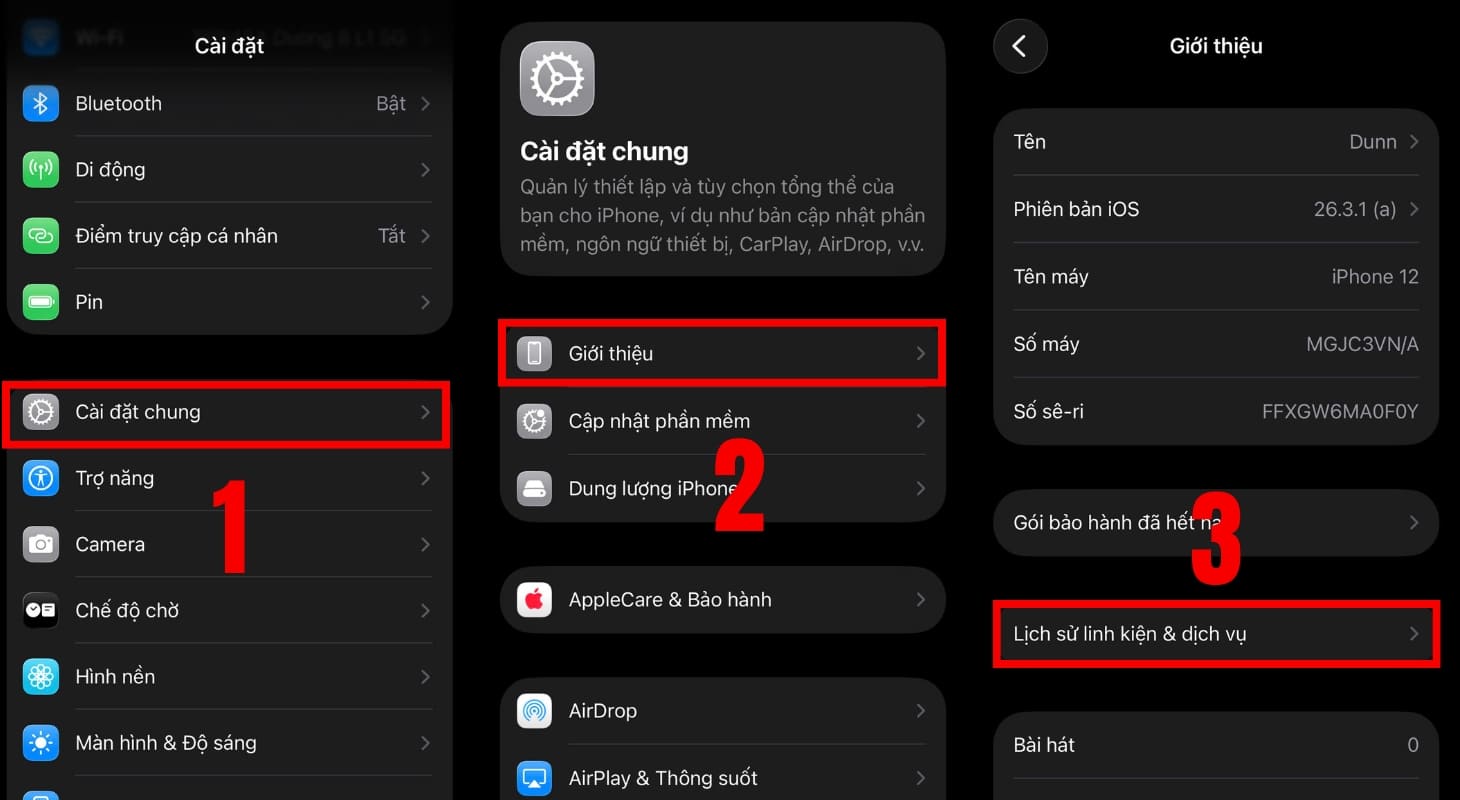
Checking battery replacement status via Component and Service History.
Here, you can view a list of components that have been serviced. If you see “Genuine Apple Part”, the battery was replaced at an authorized service center.
Conversely, “Unknown Part” indicates a non-genuine or mismatched battery.
If no replacement information appears, your iPhone’s battery is likely original.
Viewing Analysis & Improvements
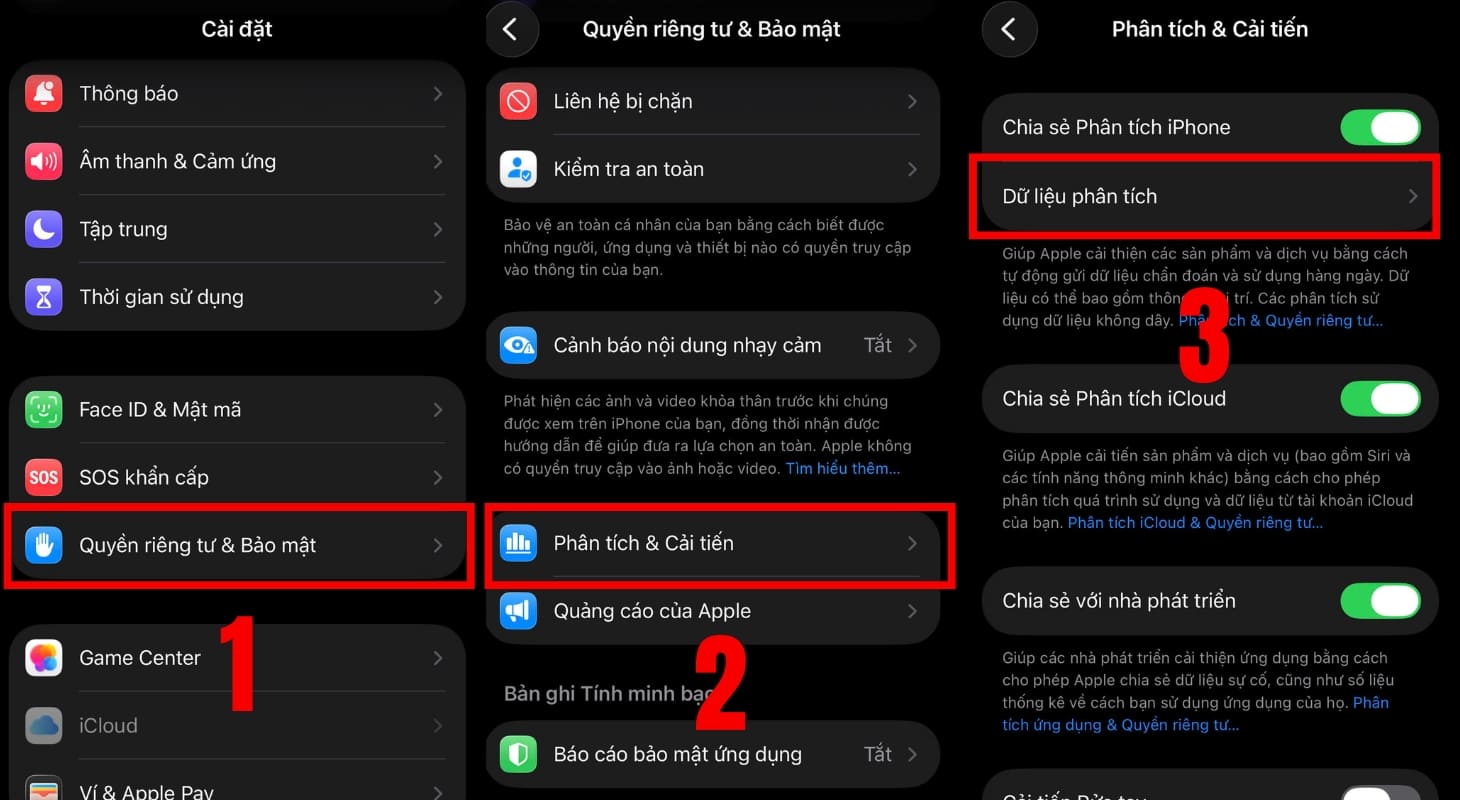
Checking battery replacement status via Analysis & Improvements.
Open the log-aggregated-[current date] file and check these key data points:
- apple.power.battery.cycle_count: Number of full charge cycles, e.g., 408.
- apple.power.battery.design_capacity: Original battery capacity, e.g., 1960 mAh for iPhone 7.
- apple.battery.raw_max_capacity: Current maximum capacity, e.g., 1840 mAh (~94%), helps assess battery health or detect replacements.
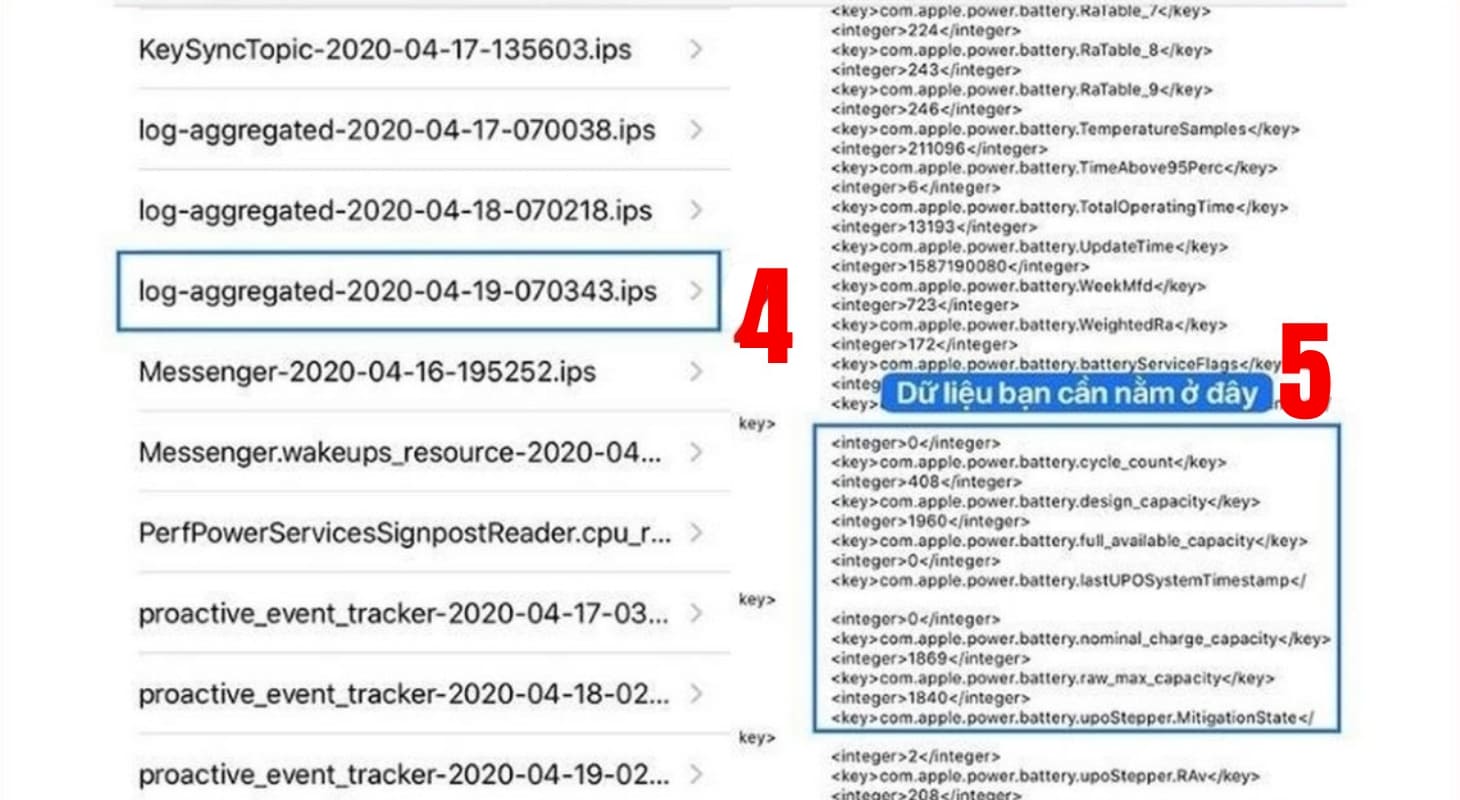
Results of battery check via Analysis & Improvements.
4 Checking Battery Replacement Status via Computer
3uTools
3uTools is a free iOS management tool that allows data backup, file management, and app installation. It also supports deep system interventions like component checks, battery health assessments, firmware flashing, and device jailbreaking.
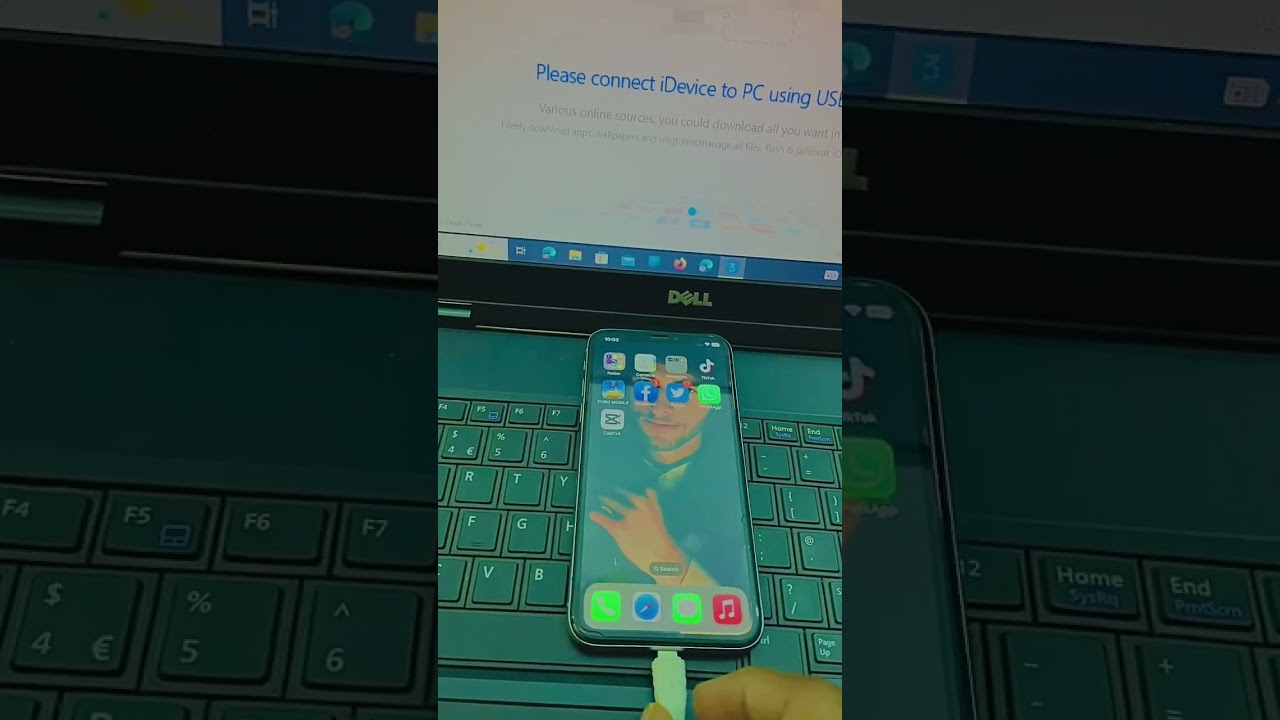
Detailed Guide:
Step 1: Open the software and connect your iPhone to the computer (via USB) > Trust the app on your phone.
Step 2: Click Verification Report > Select Authorize to View to compare the battery’s Serial Number with the one stored in the control chip.
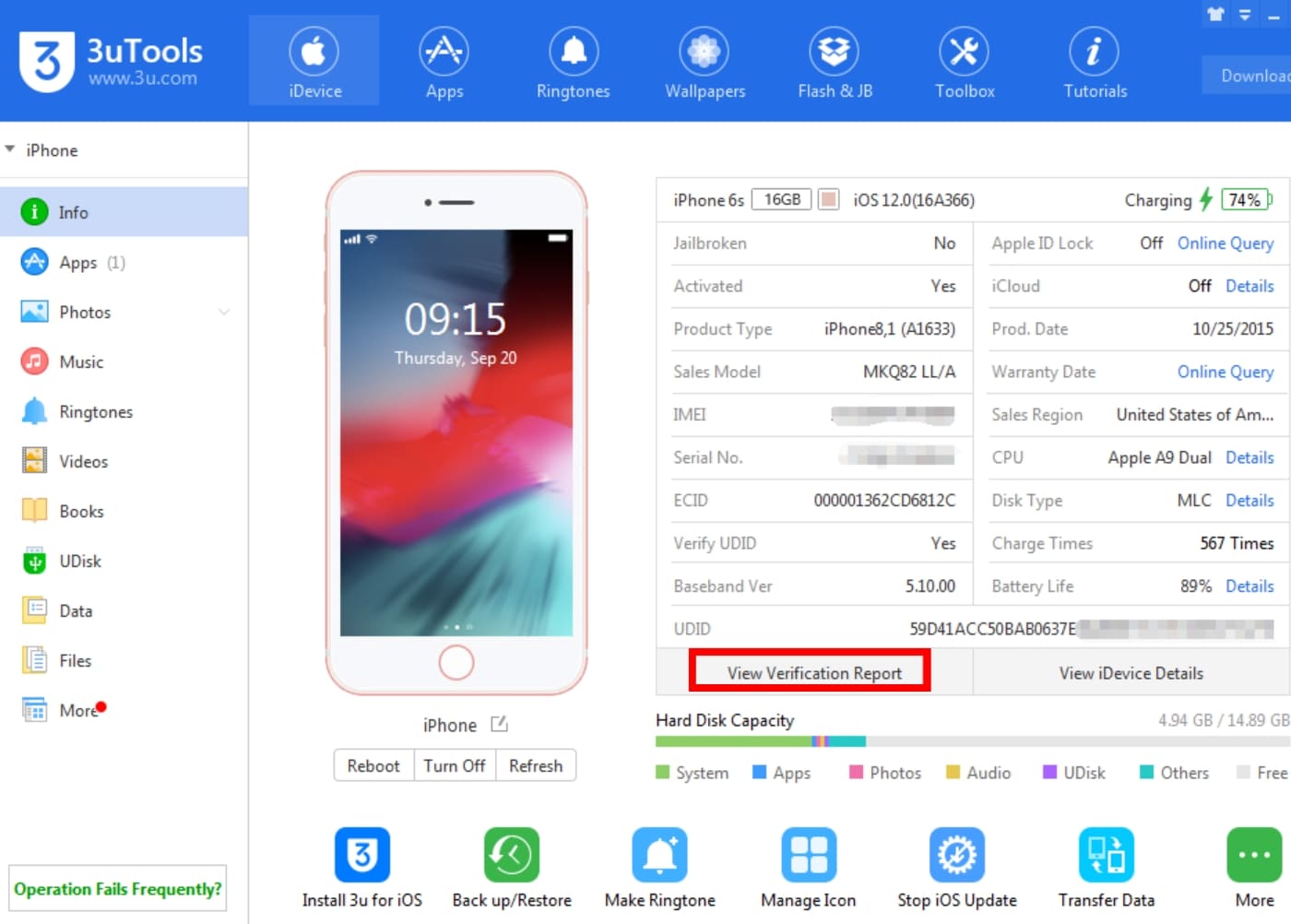
If the Battery Serial Number appears in red or shows a mismatch, the battery has been replaced.
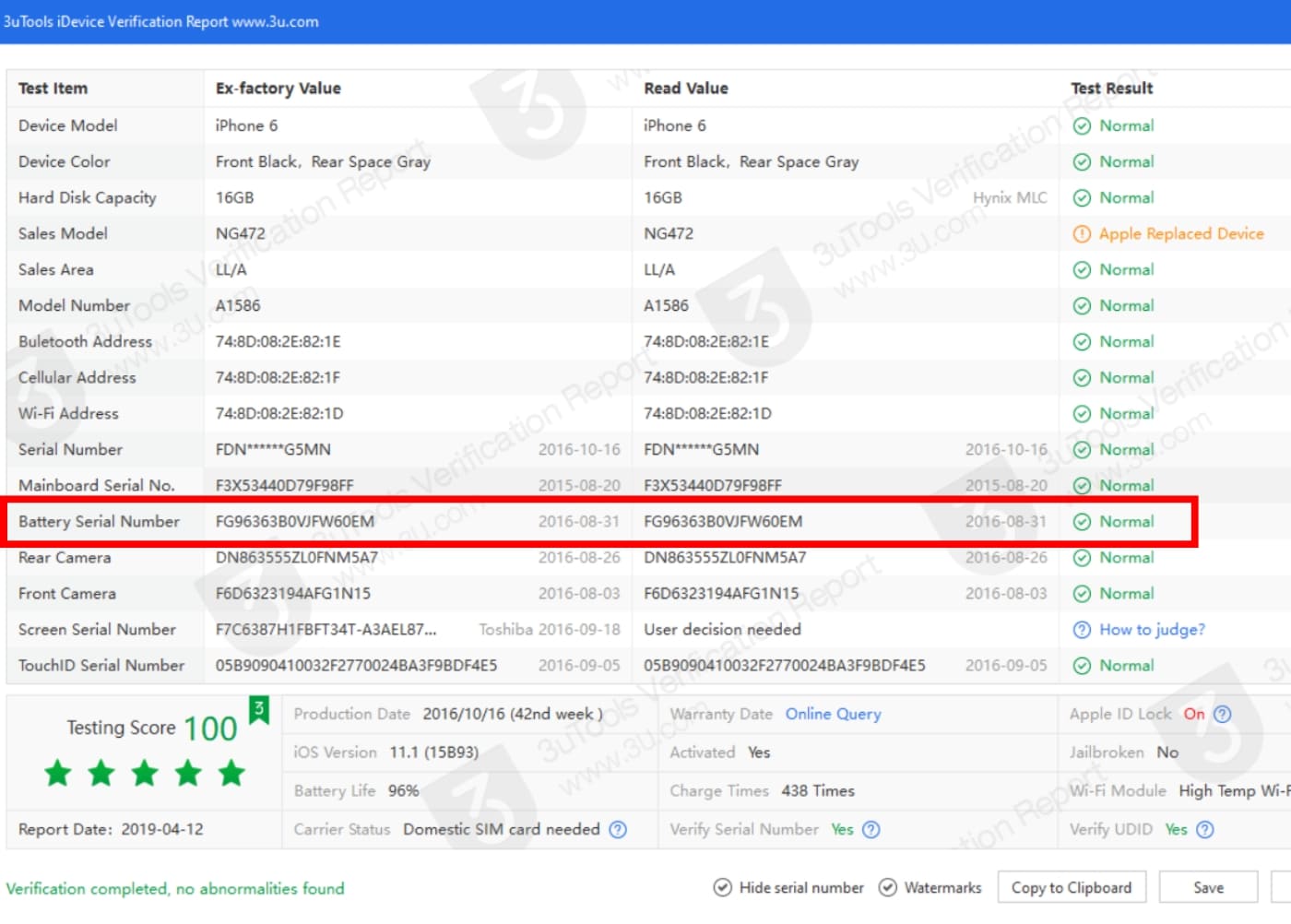
Results of battery check via 3uTools.
iTools
iTools is an effective alternative to iTunes, offering an intuitive interface for managing, backing up, and syncing data (music, photos, videos) between iOS devices and computers.
Unlike the completely free 3uTools, iTools often limits certain features and requires a license fee for long-term use.
Detailed Guide:
Step 1: Open iTools and connect your iPhone to the computer via USB.
Step 2: Select My Device > Choose Device Verification.
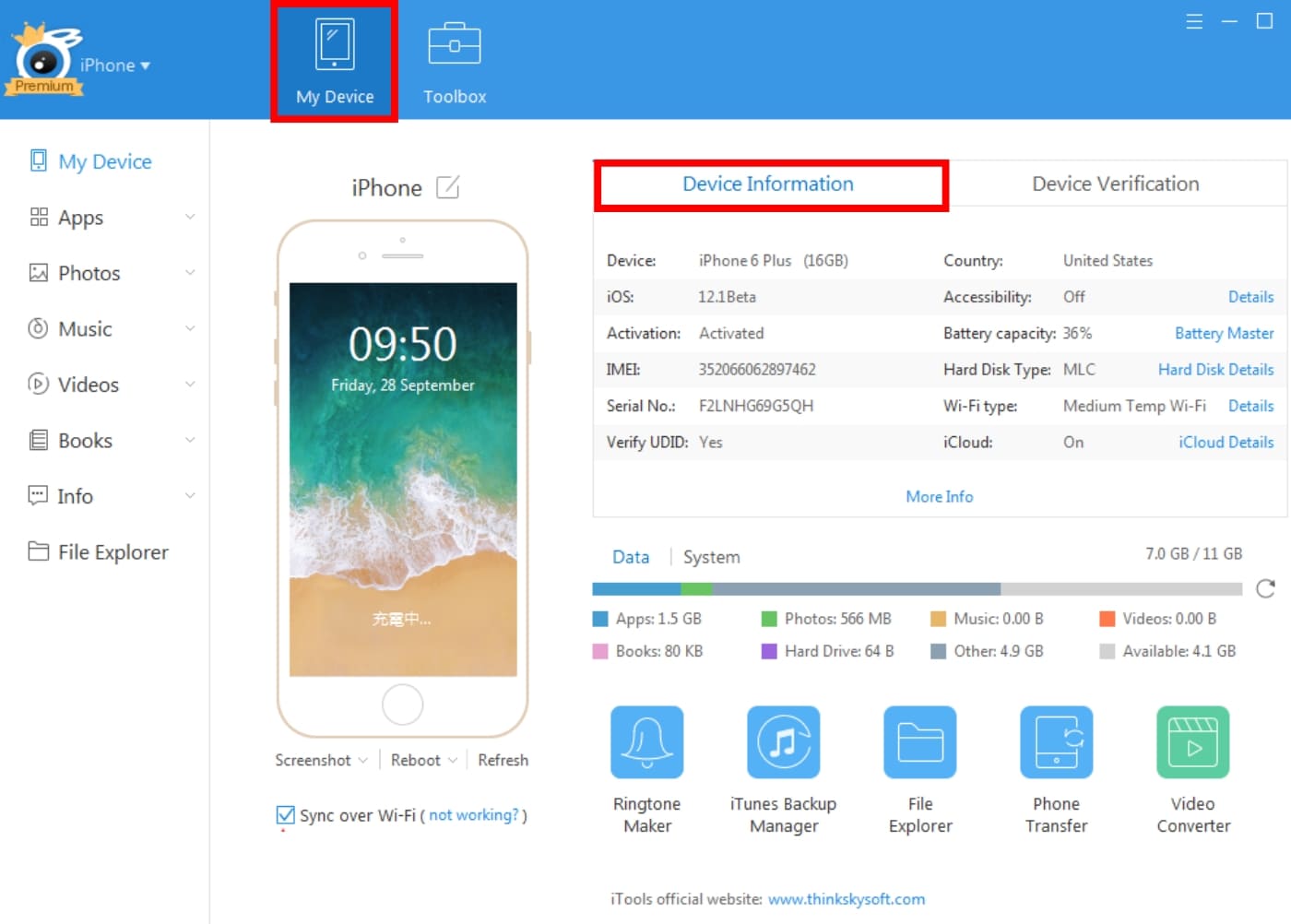
Checking battery replacement status via iTools.
If the result under Battery Info shows Normal, the battery hasn’t been replaced.
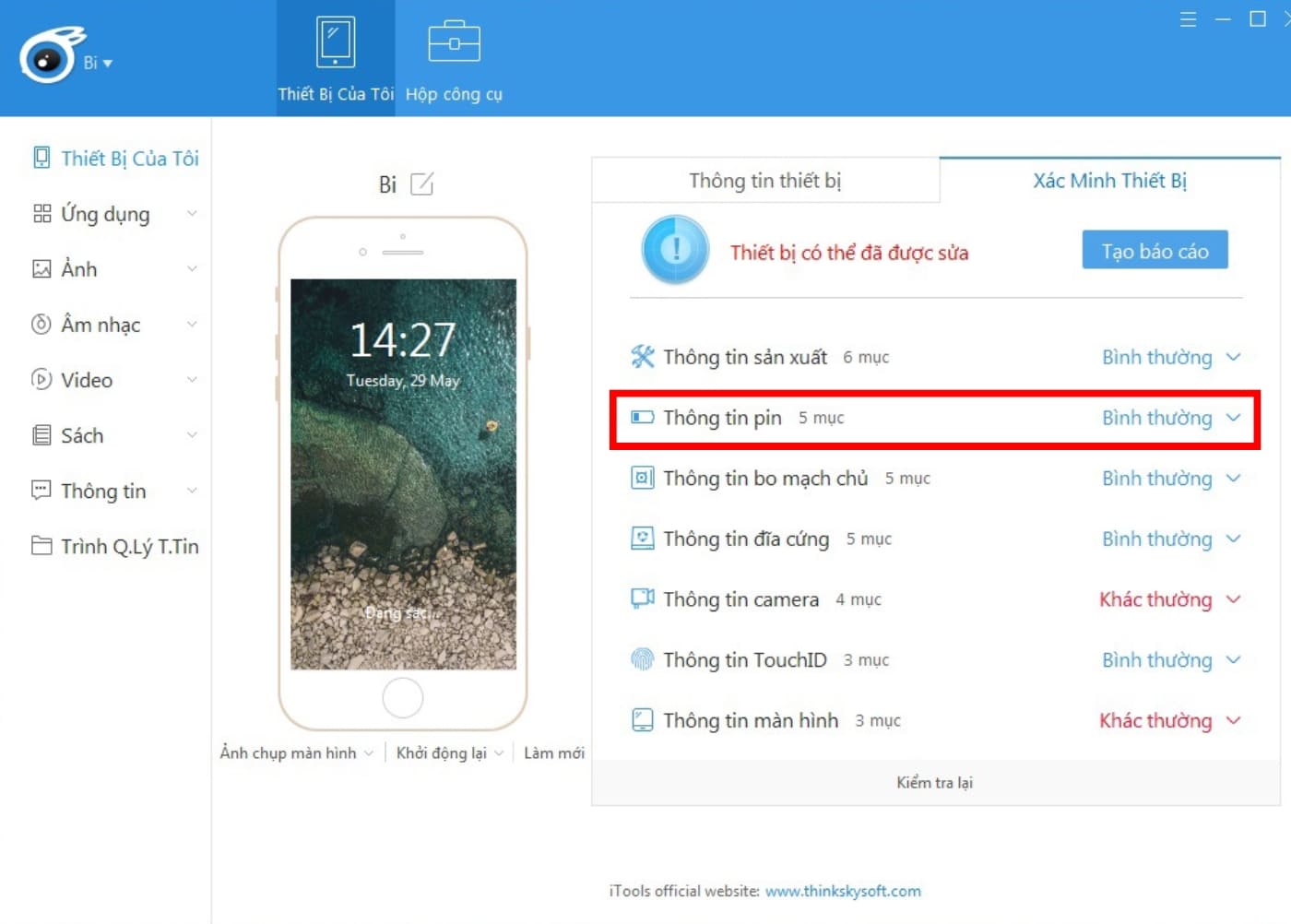
Results of battery check via iTools.
iBackupBot
iBackupBot is a specialized tool for viewing, extracting, and editing data (messages, contacts, plist files) from iTunes backups. It allows deep system interventions to recover lost data or customize hidden settings on iPhones and iPads without jailbreaking.
Detailed Guide:
Step 1: Open iBackupBot > Connect your iPhone to the computer via USB.
Step 2: Select the iPhone folder > Choose More Information.
Step 3: Check the results under Battery, including:
- CycleCount: Full charge cycles of the iPhone battery.
- DesignCapacity: Original maximum battery capacity.
- FullCharge Capacity: Current maximum battery capacity.
If the battery information is complete and shows no errors, the battery is likely original or replaced with a compatible one.
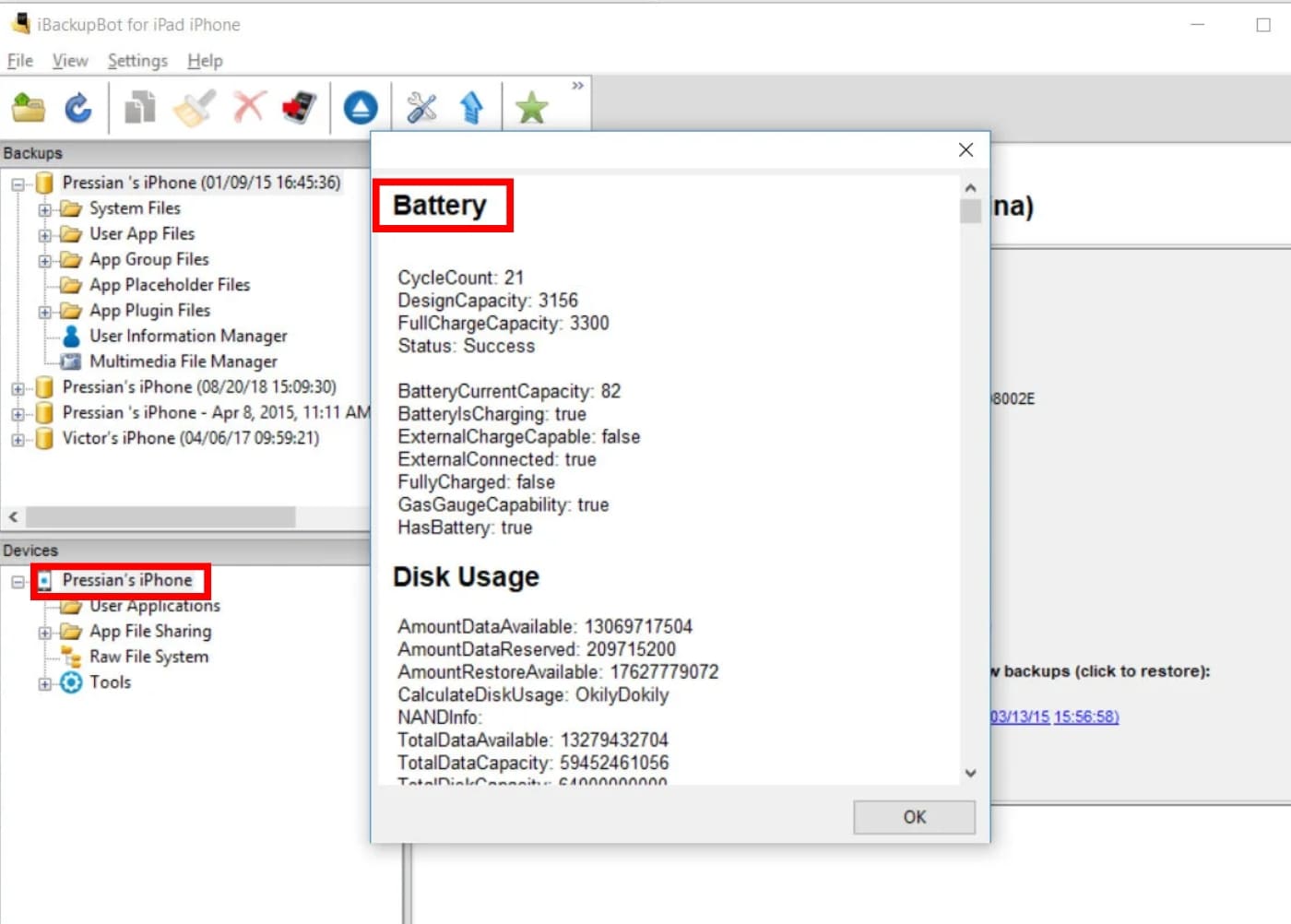
Results of battery check via iBackupBot.
5 Checking Battery Replacement Status via Physical Inspection
Inspecting Screws and Screen Bezel
Examine the two screws at the bottom of the phone. If they show scratches, stripped heads, or paint chipping, the device may have been opened.
Next, run your finger along the gap between the screen and the bezel. A genuine iPhone will feel seamless and smooth.
If you notice excess glue, misaligned bezels, or dust visible when shining a light into the gap, the device has likely been opened.
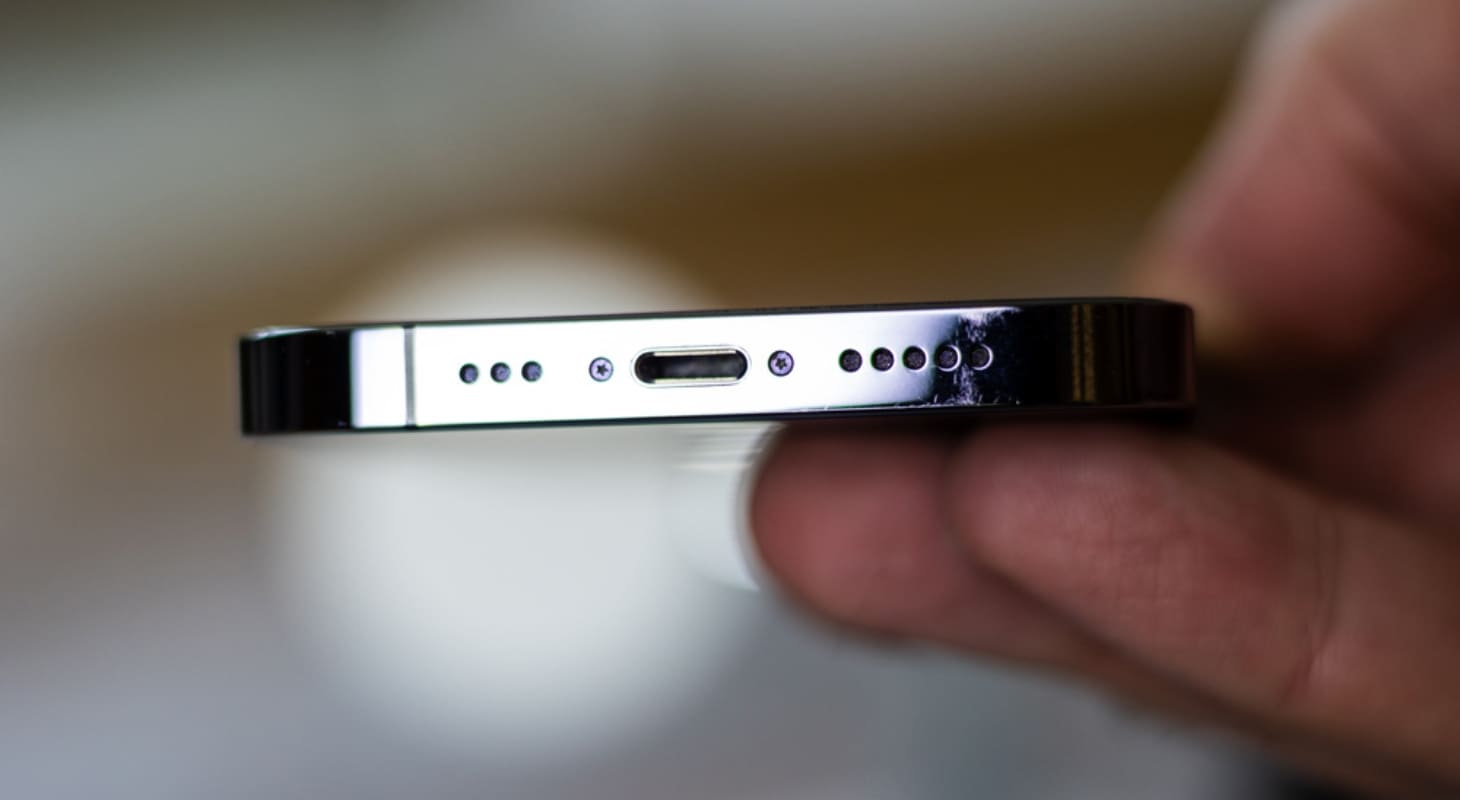
Screws showing signs of tampering may indicate internal component replacement.
Checking Screen Sensitivity
Low-quality replacement batteries often overheat and swell after a short period, pushing the screen upward. This can cause light leakage around the edges or touch sensitivity issues in certain areas.
Press lightly on the screen surface; if it feels soft or uneven, or if color distortions appear, the battery may be compromised.
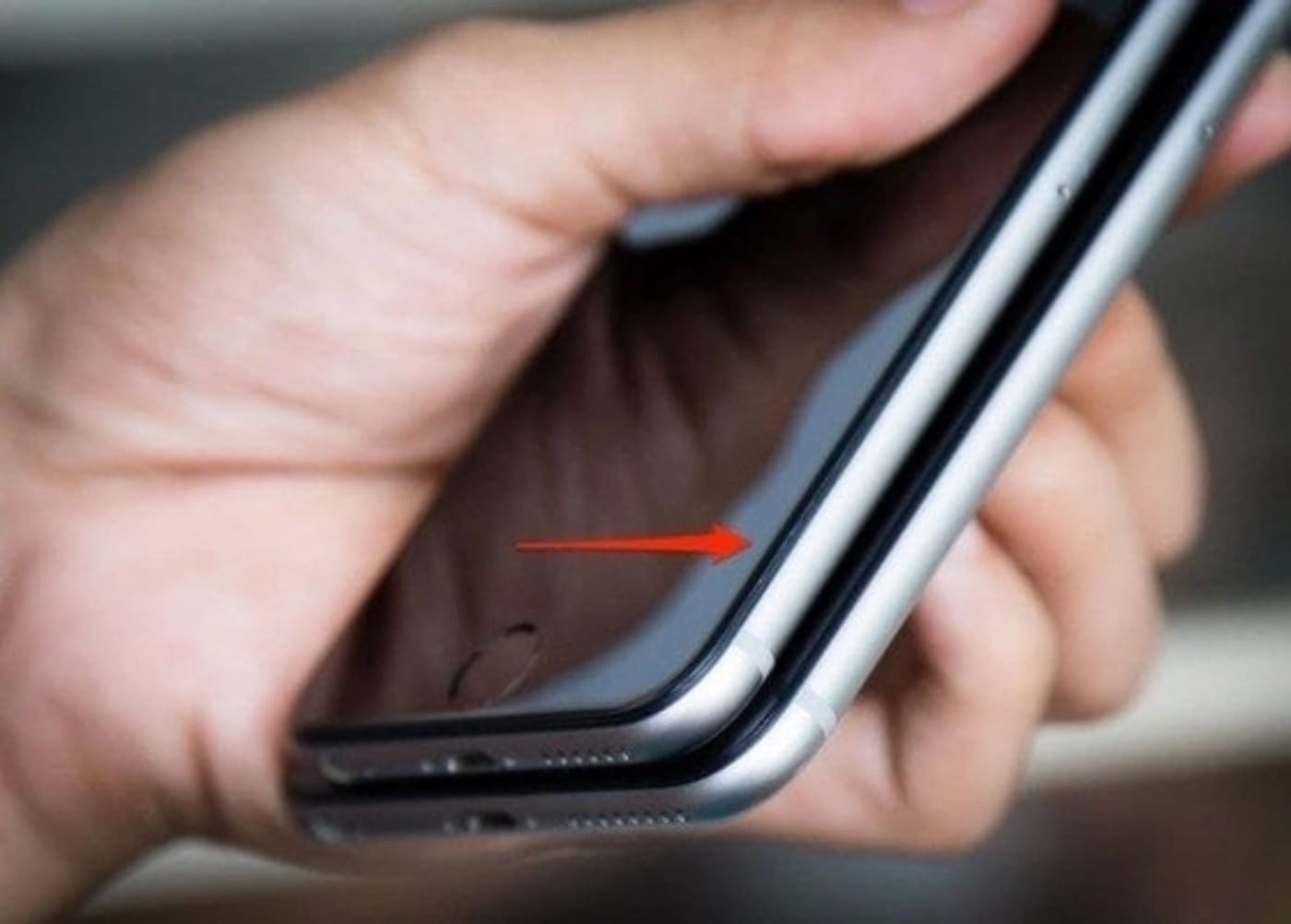
Screen light leakage may indicate a poor-quality replacement battery.
6 How to Check if iPhone Battery Has Been Recalibrated?
Battery recalibration involves using a specialized tool to reset the battery management chip, tricking the system into believing the battery is in perfect condition.
To check, try recording 4K video continuously for 10-15 minutes or play graphics-intensive games when the battery is below 20%.
If the device shuts down abruptly or the battery percentage drops drastically within minutes, the battery has likely been recalibrated. Such devices often fail quickly and pose a high risk of explosion during charging.
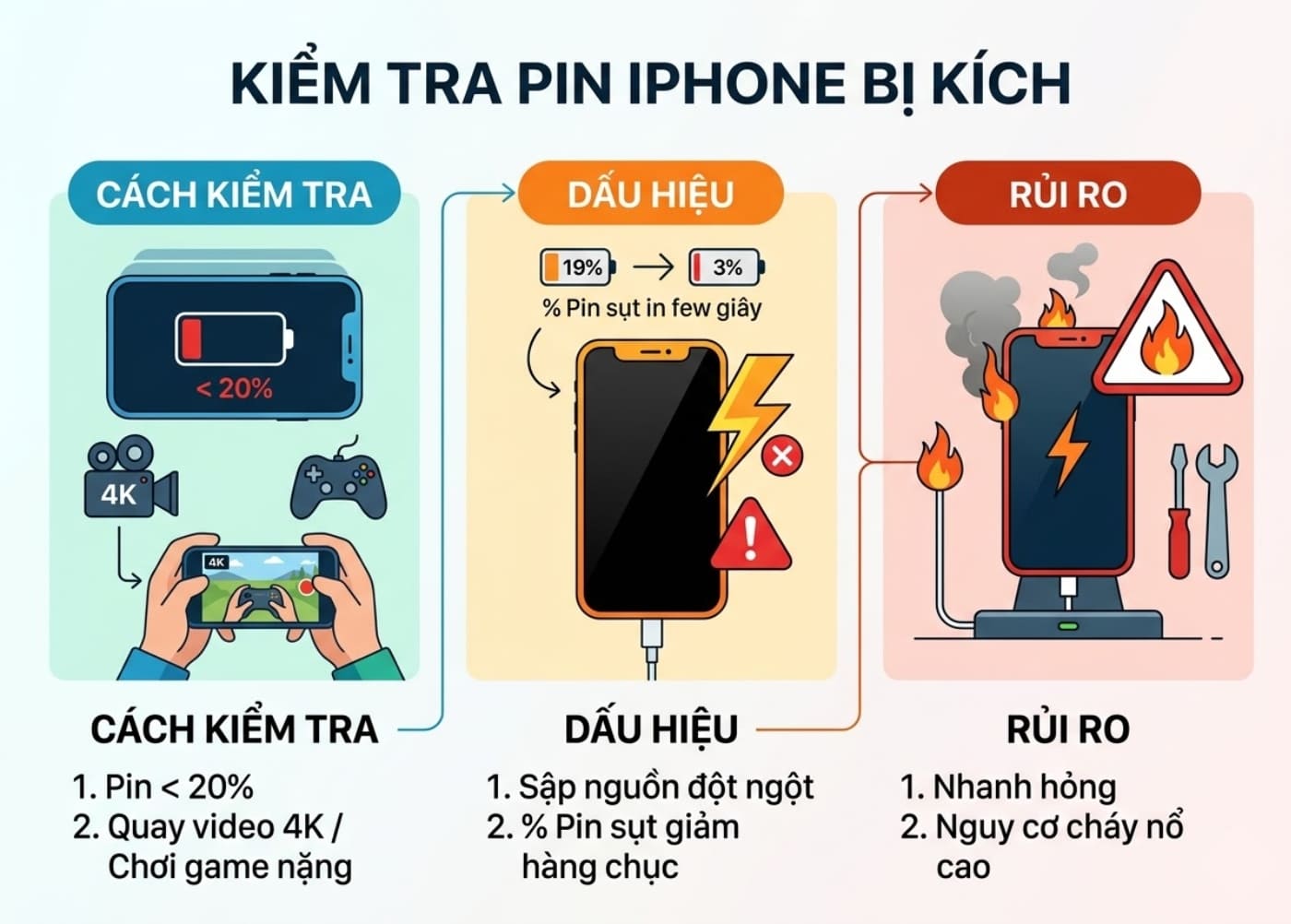
Checking if an iPhone battery has been recalibrated.
7 Comparing Genuine and Replacement iPhone Batteries
| Criteria | Genuine iPhone Battery | Replacement Battery |
|---|---|---|
| Maximum Battery Capacity Display | Accurate, full Health features | Often shows “Unknown Part” |
| Device Temperature | Stable, efficient heat dissipation | Quickly heats up under heavy use |
| Durability and Safety | Very high, excellent explosion resistance | Prone to swelling, short lifespan |
| Warranty Value | Supported by Apple at authorized centers worldwide | No manufacturer warranty |
8 Is a Replaced Battery iPhone Worth Buying?
You can consider buying an iPhone with a replaced battery if the replacement was done by Apple or reputable brands like Pisen or Energizer. These batteries ensure performance and safety for long-term use.
However, avoid devices with missing “Battery Health” information or unclear component origins, as they may pose explosion risks or damage other components.
9 Frequently Asked Questions About iPhone Battery Replacement
Does Replacing the iPhone Battery Affect Water Resistance?
Replacing the battery breaks the original waterproof seal. Even with a new seal, water resistance is only 80-90% of the original and not fully guaranteed.
Therefore, avoid direct water exposure after repairs.
Why Does My iPhone Show “Unknown Part” After Battery Replacement?
This occurs when the battery management chip (Battery IC) doesn’t match the one registered on the motherboard.
Even using a genuine battery from another device without recalibrating the chip will trigger this error. It’s Apple’s security measure to control unauthorized repairs.
Where to Replace iPhone Battery Reliably?
For battery replacement or checks, visit authorized Apple service centers like TopCare.
These centers follow strict procedures with verified components and comprehensive after-sales service. Choosing a reputable center protects your rights and maintains your device’s value.
This guide explains how to check if an iPhone’s battery has been replaced. We hope it helps you assess your iPhone’s battery status effectively. Good luck!
What is a Good iPhone Battery Health? A Detailed Guide to Checking if Your iPhone Battery is Healthy
How long does an iPhone battery last, what causes the iPhone battery to drain faster, etc. are issues that receive a lot of attention from our readers. To find out how good your iPhone battery is, how to check the iPhone battery, FPT Shop invites you to follow the article below.
Why is the maximum battery capacity of the iPhone draining fast? Discover 4 common reasons and how to fix it.

The rapid depletion of iPhone battery is a common problem that many iPhone users encounter, but they are unaware of the underlying causes. If left unaddressed, this phenomenon can greatly impact the performance of the device. Find out more in the following article.
Know What to Expect Before and After Replacing Your iPhone Battery
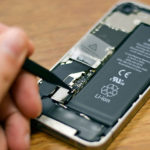
Do you find yourself needing to charge your iPhone multiple times a day? Does your battery not last the whole day anymore? Keep your device up and running with assistance from Dien May Xanh before and after replacing your iPhone battery! Get all the information you need here.