


















The Ultimate Guide to Unlocking iOS 17’s Sensitive Photo Check
All iPhone users, but especially those with young children, should take advantage of the device's sensitive photo checking feature. This function is designed to protect minors from being exposed to inappropriate images without their parents' permission.
iOS 17 operating system’s latest offering includes a range of exciting features, with the standout being the sensitive image check. This innovative functionality ensures that messages sent via iPhone are rigorously scrutinized by the system, and this extends to popular messaging platforms like Messenger.
To take advantage of this game-changing feature, users will need to update their iPhone to the iOS 17 operating system. It’s important to note, however, that this version is currently in its testing phase, so a cautious approach is advised before installing the iOS 17 Beta version.
Enabling Sensitive Image Check on Your iPhone
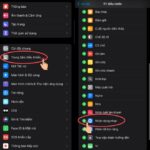
Step 1: Open your iPhone’s Settings app and navigate to Screen Time. Under the Contacts section, you’ll find the Communication Limits option; tap on it.
Step 2: Activate the Sensitive Image Check feature. With this enabled, the system will proactively detect messages that contain explicit or inappropriate images, either sent or received on child devices. This creates a much safer digital environment for children.
By following these straightforward steps, you can effectively shield children under 13 from exposure to sensitive images. We strongly recommend enabling this feature, particularly for families with younger children, to ensure their online safety and peace of mind.
Frequently asked questions
The latest iOS 17 operating system offers a range of exciting features, including the standout Sensitive Image Check. This innovative functionality scrutinizes messages sent via iPhone and popular messaging platforms like Messenger for explicit or inappropriate images.
By navigating to Screen Time in your iPhone’s Settings app and accessing Communication Limits under the Contacts section, you can enable the Sensitive Image Check feature. This allows the system to proactively detect and block messages containing explicit or inappropriate images on child devices, creating a safer digital environment.
This feature is particularly useful for families with children under 13, as it helps shield them from exposure to sensitive images. By enabling it, parents can ensure their children’s online safety and gain peace of mind.
While the iOS 17 operating system introduces exciting features, it’s important to note that it is currently in its testing phase. Users are advised to take a cautious approach before installing the iOS 17 Beta version and wait for the stable release to avoid potential bugs and issues.
To enable this feature, open the Settings app on their iPhone, navigate to Screen Time, and locate the Communication Limits option under the Contacts section. From there, you can activate Sensitive Image Check, which will proactively scan sent and received messages for inappropriate content.
Sometimes, those pesky and unnecessary TikTok notifications can be a real nuisance. But fear not, as this article will guide you through a simple process to banish those interruptions for good.
Apple has released new support documentation advising against burying iPhones in rice when they get wet. This long-held practice of submerging water-damaged phones in uncooked rice may not be effective, according to Apple.
Taking a photo is all fun and games until you realize the sun has completely washed out your image. Don’t fret, with these simple steps, you can easily salvage your overexposed photos and turn them into works of art.
With the ever-evolving landscape of technology, internet usage has become an integral part of our daily lives, and keeping up with the latest network connections is essential. Apple has recognized this need for speed and has equipped its iPhone models with 4G capabilities, ensuring a faster and smoother online experience for its users. Join us as we explore the simple steps to enable 4G on your iPhone and unlock a whole new world of connectivity.

Microsoft has just unveiled Windows 11, focusing on streamlining the user interface for a seamless experience. With a refreshed design, enhanced productivity tools, and improved performance, Windows 11 promises to redefine how users interact with their devices. Whether you're a creative professional or a casual user, this latest update aims to simplify your digital life while delivering cutting-edge innovation.
Fingerprint door locks are the most preferred electronic door locks among consumers today. Combining cutting-edge biometric technology with unparalleled convenience, these locks offer a seamless and secure access solution for modern homes and businesses. With their advanced fingerprint recognition systems, they ensure that only authorized individuals can enter, eliminating the need for keys or memorized codes. This innovative approach not only enhances security but also simplifies daily routines, making fingerprint door locks the ultimate choice for those seeking both safety and efficiency.
Facebook stands as Vietnam's quintessential social network, with nearly every individual holding an account. Its unparalleled reach and engagement make it an indispensable platform for connecting, sharing, and thriving in the digital age.
Extend your iPhone's battery life? Absolutely. Owning an iPhone with a longer-lasting battery is not just a dream—it's achievable. Discover the secrets to maximizing your device's power efficiency and enjoy uninterrupted usage throughout your day.
Saving Outlook emails to an external hard drive is incredibly useful for backups and data preservation. This ensures your important communications remain secure and accessible, even if your primary device fails or is compromised. By transferring emails to an external drive, you gain peace of mind knowing your data is safely stored and easily retrievable whenever needed.
Microsoft has just unveiled Windows 11, focusing on streamlining the user interface for a seamless experience. With a refreshed design, enhanced productivity tools, and improved performance, Windows 11 promises to redefine how users interact with their devices. Whether you're a creative professional or a casual user, this latest update aims to simplify your digital life while delivering cutting-edge innovation.
Fingerprint door locks are the most preferred electronic door locks among consumers today. Combining cutting-edge biometric technology with unparalleled convenience, these locks offer a seamless and secure access solution for modern homes and businesses. With their advanced fingerprint recognition systems, they ensure that only authorized individuals can enter, eliminating the need for keys or memorized codes. This innovative approach not only enhances security but also simplifies daily routines, making fingerprint door locks the ultimate choice for those seeking both safety and efficiency.
Facebook stands as Vietnam's quintessential social network, with nearly every individual holding an account. Its unparalleled reach and engagement make it an indispensable platform for connecting, sharing, and thriving in the digital age.
Extend your iPhone's battery life? Absolutely. Owning an iPhone with a longer-lasting battery is not just a dream—it's achievable. Discover the secrets to maximizing your device's power efficiency and enjoy uninterrupted usage throughout your day.
Saving Outlook emails to an external hard drive is incredibly useful for backups and data preservation. This ensures your important communications remain secure and accessible, even if your primary device fails or is compromised. By transferring emails to an external drive, you gain peace of mind knowing your data is safely stored and easily retrievable whenever needed.